Access to the Budgeting Module can be controlled by Advanced User Permission Profiles. If used in conjunction with Project Permissions, you can control whether a User can only edit a Budget, if they have permission to the project.
For any queries on how these permissions could work for your system, please contact support@farmerswife.com.
TABLE OF CONTENTS
Main Permissions
There are three main permissions for access to the Budgeting Module, and they differ per Permission Type. Only Users with the appropriate permissions can access the Budgeting Module in farmerswife. The three main settings are:
- Can See Budgets
- Can Edit Budgets
- Can Lock/Unlock Budgets
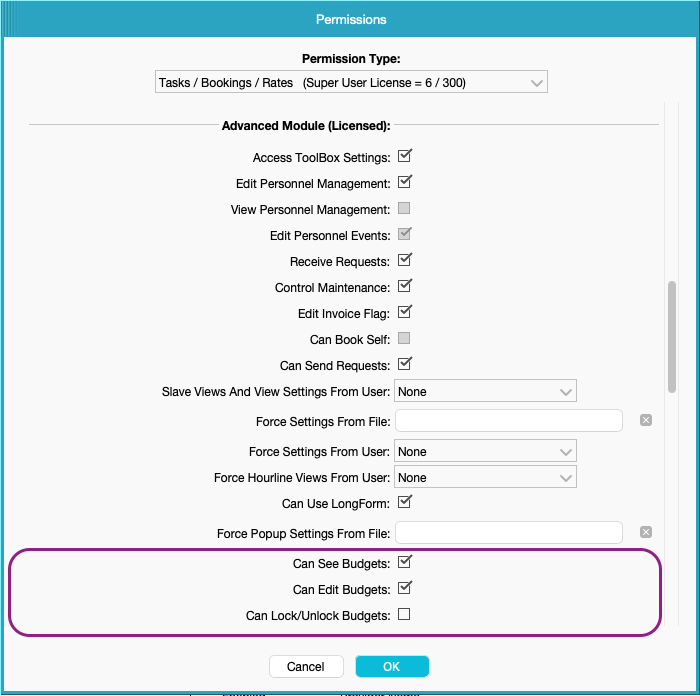
Permission Types
Tasks Users
Tasks users cannot modify Budgets, but they can be given access to view them with "Can See Budgets" activated.
Tasks / Bookings Users
Although Tasks / Bookings Users can't update any Rates on Budgets, they can make updates including: updating quantities, adding extra lines, attaching Actuals, and using Scheduling Mode.
These Users can also Lock/Unlock budgets, when activated on their profile.
Tasks / Bookings / Rates Users
Tasks / Bookings / Rates Users are able to have the same access as Tasks / Bookings Users, but can also update any rates on the budgets.
Like Tasks / Bookings Users, Tasks / Bookings / Rates Users can also be given access to Lock/Unlock budgets.
Locking / Unlocking Budgets
If a user has the permission "Can Lock/Unlock Budgets" they can lock budgets to prevent others from editing them.
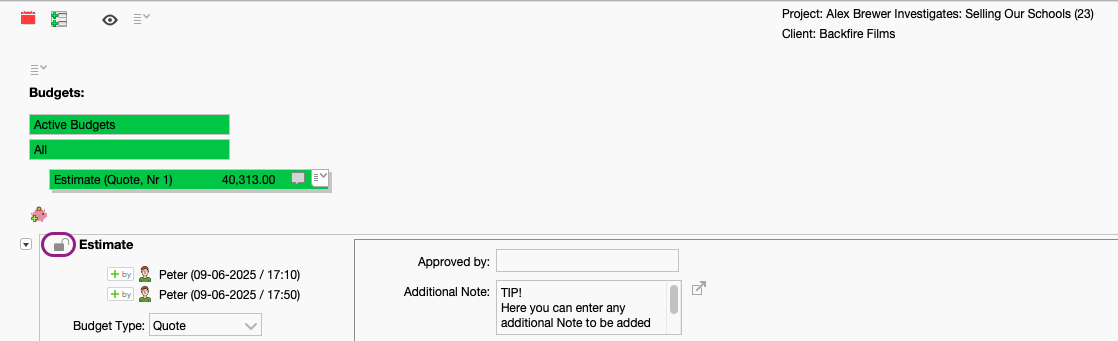
When locked, the budget cannot be altered by anyone without the permission "Can Lock/Unlock Budgets", and users will see a padlock icon next to budget name. If a user moves the cursor over the locked padlock, this will display information on who locked the budget, and when.
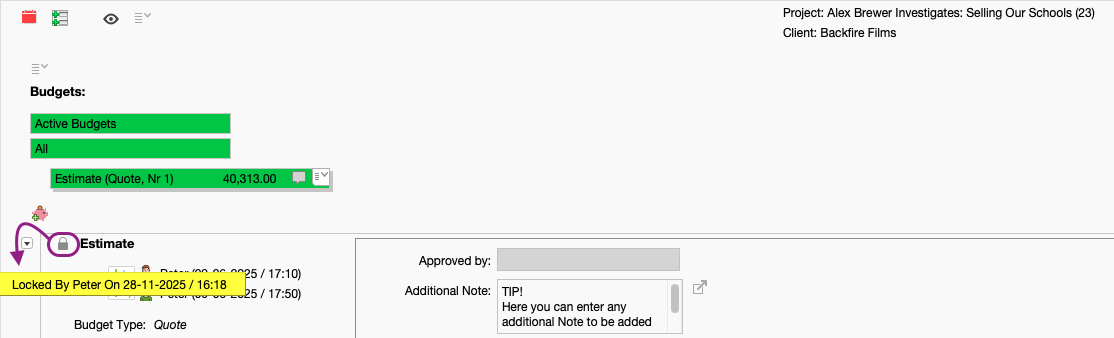
If a budget is locked, it cannot be renamed or removed, but it can still be duplicated, or copied to a Global Template.
Budget lines within a locked budget can be copied and pasted into another unlocked budget in the same project. You are also still able to attach & detach Actuals from a locked budget; and you can still Forward Budget Lines To Actuals within a locked budget.
Was this article helpful?
That’s Great!
Thank you for your feedback
Sorry! We couldn't be helpful
Thank you for your feedback
Feedback sent
We appreciate your effort and will try to fix the article