The system supports the use of wildcards, like asterisk (*) for multiple characters or question mark (?) for a single character that represent unknown characters or groups of characters.
e.g. Searching for "colo?r" returns both "color" and "colour."
You also have various search syntax available, that allow you to query the related data.
This can be especially useful in the Advanced Searches (Contacts, Projects) but also used in Toolbox Search or Object Manager.
Below you'll find an overview on the search syntax that you can apply to refine your searches.
* list
*\ split
+ must match
- must not match
< must be less
> must be higher
= must be equal
Enter the query in brackets [ ]
Examples:
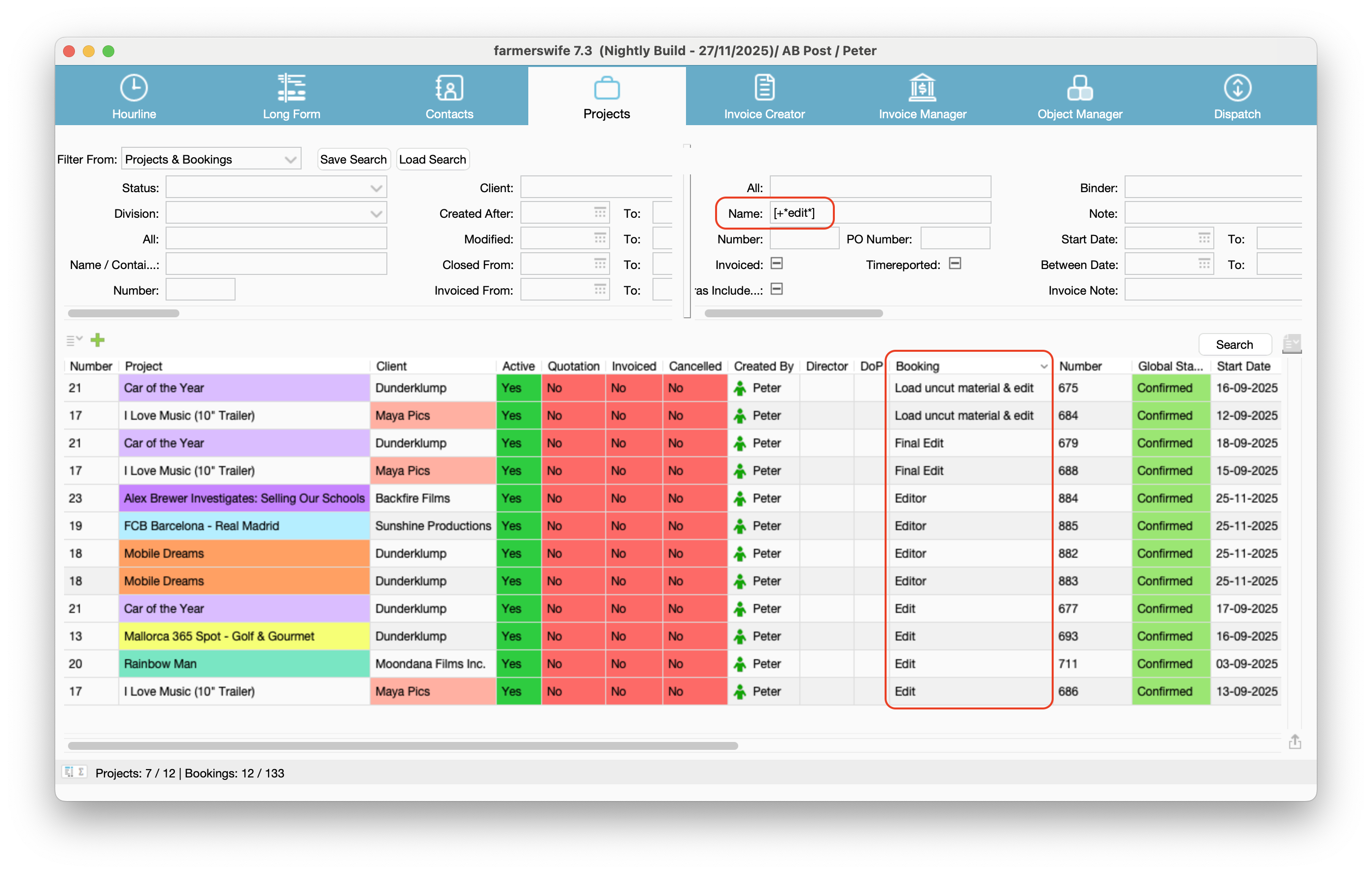
Find all bookings that match the name: Edit > Search with [+*edit*] in "Name" field
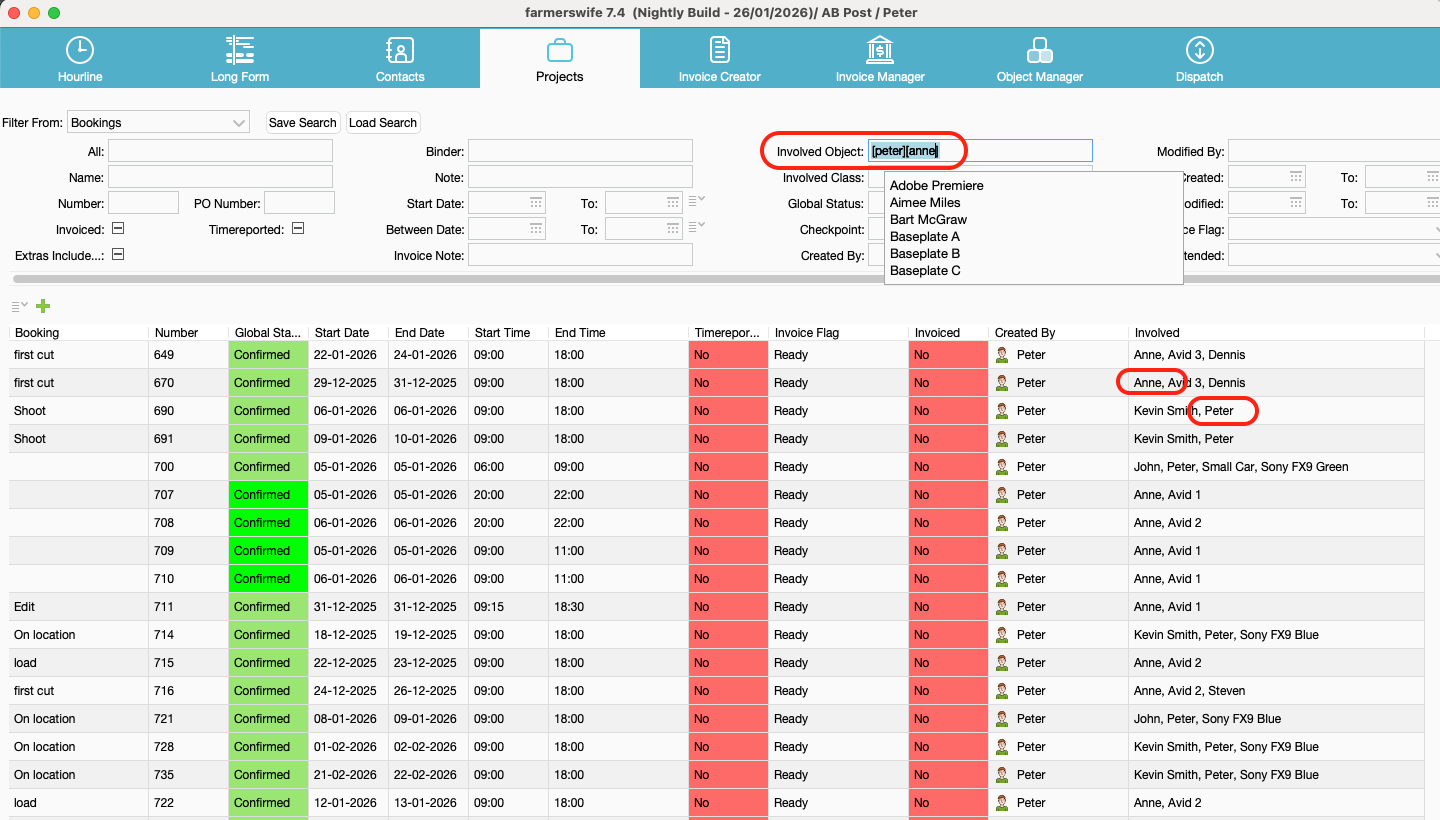
List all Bookings with Involved: Peter & Anne
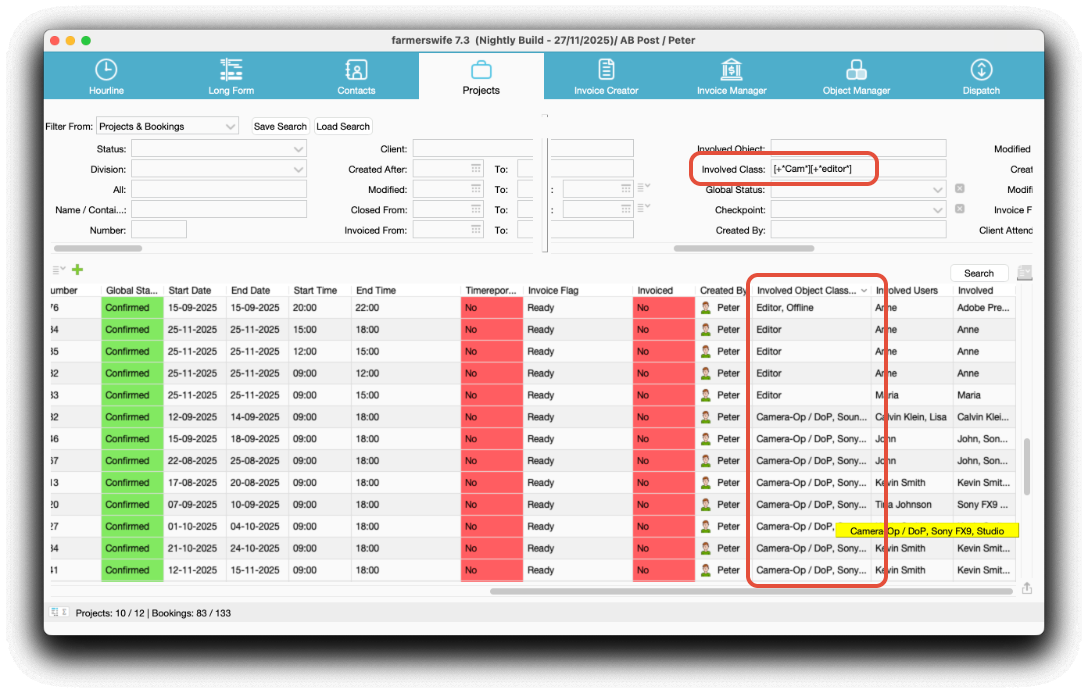
Find all bookings with involved Classes "Camera" and "Editor"
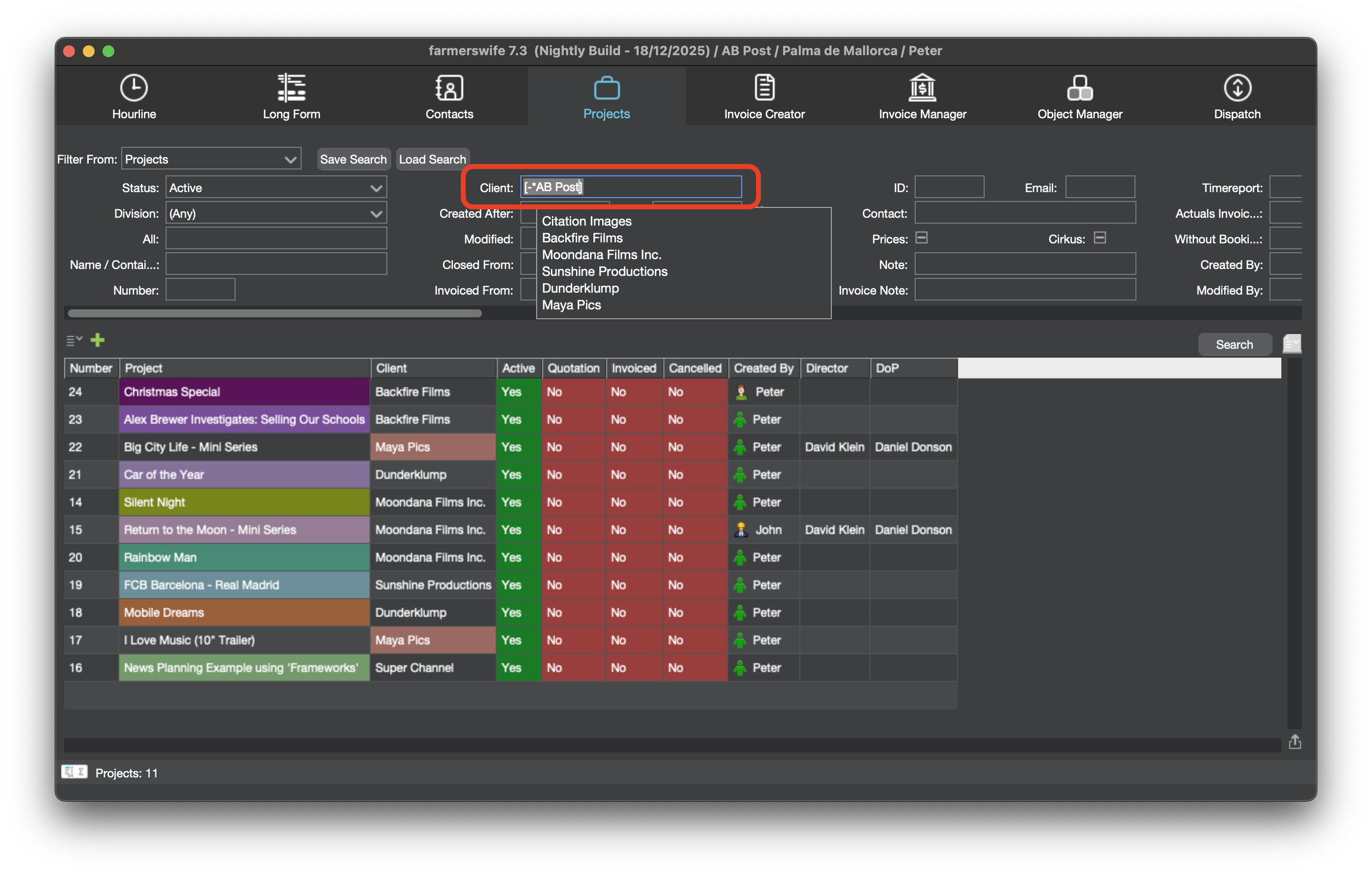
List all Projects except for client "Internal" (AB Post)
Was this article helpful?
That’s Great!
Thank you for your feedback
Sorry! We couldn't be helpful
Thank you for your feedback
Feedback sent
We appreciate your effort and will try to fix the article